Hi Anaya, a senior Go role on a payments team. Hybrid, with the salary band in the brief.
Anaya
Interesting. How many days in the office?
Zia
Three days in Bangalore. I can send you a link to a voice interview.
Zia
Sent: your interview link. Start any time, or pick a time that suits you.
Naira report cardVoice · Naira
Maya Thompson·Applied for Collections Specialist·Interviewed Sep 27, 2026, 38 min
74.0/ 100 overall
AlignedIntegrity 96%English (CEFR) B2
Strongly not alignedAlignedStrongly aligned
“Clear, calm caller who secured a payment plan without pressure tactics; audit caught 4 of 5 compliance slips. Speaks fluently at a natural call pace.”
Handle a Customer Who Disputes a Past-Due Balance
M2Voice only
Module Score4.1 / 5
Strengths
Verified identity before discussing the balance
Offered a concrete 3-month plan unprompted
Weaknesses
Slight hesitation stating the exact due date
Did not repeat the total balance for confirmation
Evidence (transcript quotes)
“I understand this is frustrating — let's find a plan that works for you and confirm it today.”
Naira report cardVoice · Naira
Maya Thompson·Applied for Collections Specialist·Interviewed Sep 27, 2026, 38 min
74.0/ 100 overall
AlignedIntegrity 96%English (CEFR) B2
Strongly not alignedAlignedStrongly aligned
“Clear, calm caller who secured a payment plan without pressure tactics; audit caught 4 of 5 compliance slips. Speaks fluently at a natural call pace.”
Handle a Customer Who Disputes a Past-Due Balance
M2Voice only
Module Score4.1 / 5
Strengths
Verified identity before discussing the balance
Offered a concrete 3-month plan unprompted
Weaknesses
Slight hesitation stating the exact due date
Did not repeat the total balance for confirmation
Evidence (transcript quotes)
“I understand this is frustrating — let's find a plan that works for you and confirm it today.”
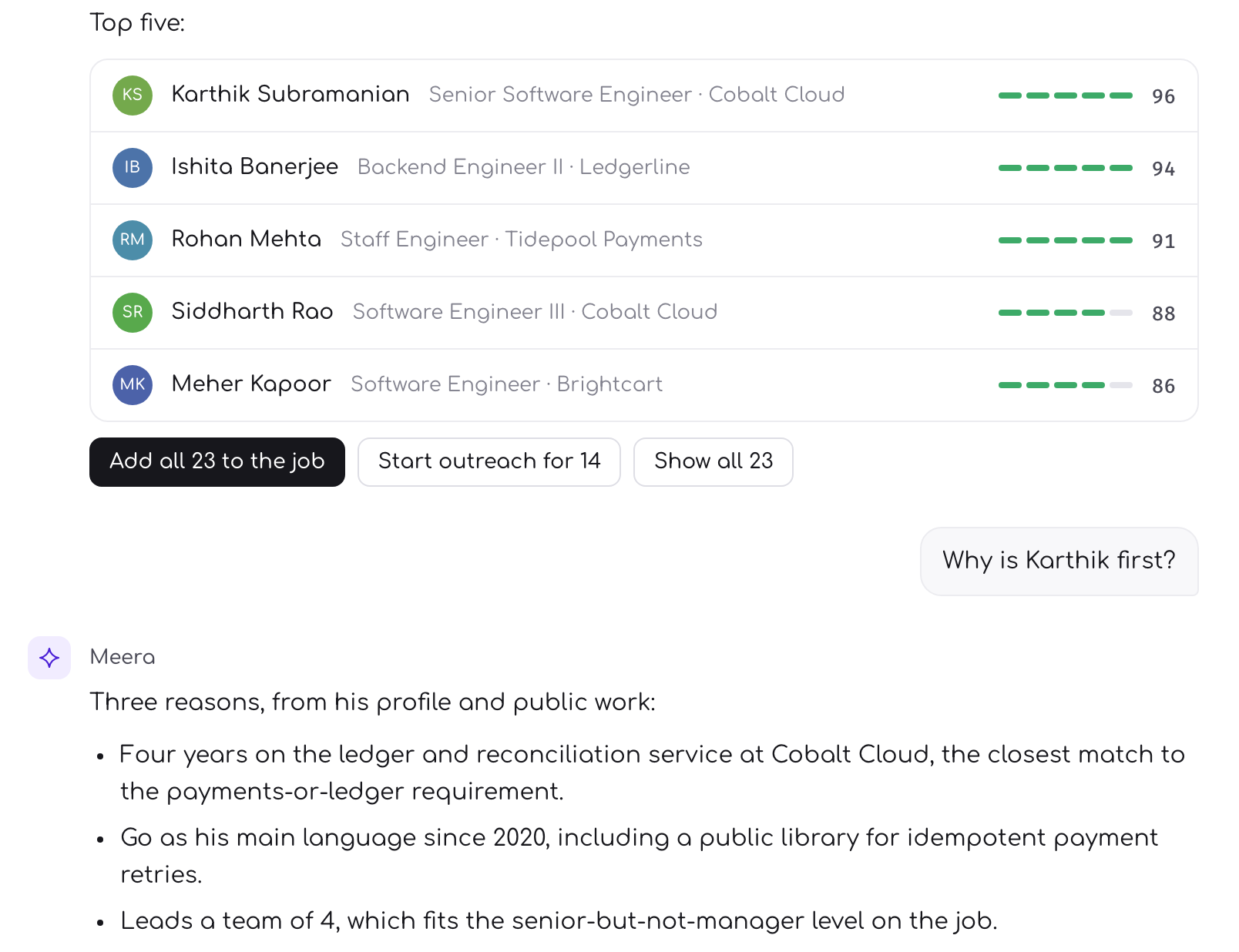
For clients on a Zwayam partner portal, moving a candidate to the final stage queues their submission in the same write, with a generated CV, a dry run to read first, and nothing sent half-filled.
EmployLabs submits finalists to a client's Zwayam partner portal without re-keying. Moving a candidate to the final stage queues one submission in the same transaction; a sweep reads the portal's form, attaches a generated CV and fills the fields. Connectors start in dry run, and a missing mandatory field holds the candidate for a person.
The last mile is usually a keyboard
A finalist is agreed, and then somebody opens the client’s applicant system in another tab and types the candidate in again. Name, contact details, notice period, a CV attached by hand, the portal’s own screening questions answered from memory. The decision took a minute. The re-keying takes longer, and it is where a wrong phone number or a missing field quietly enters the client’s records.
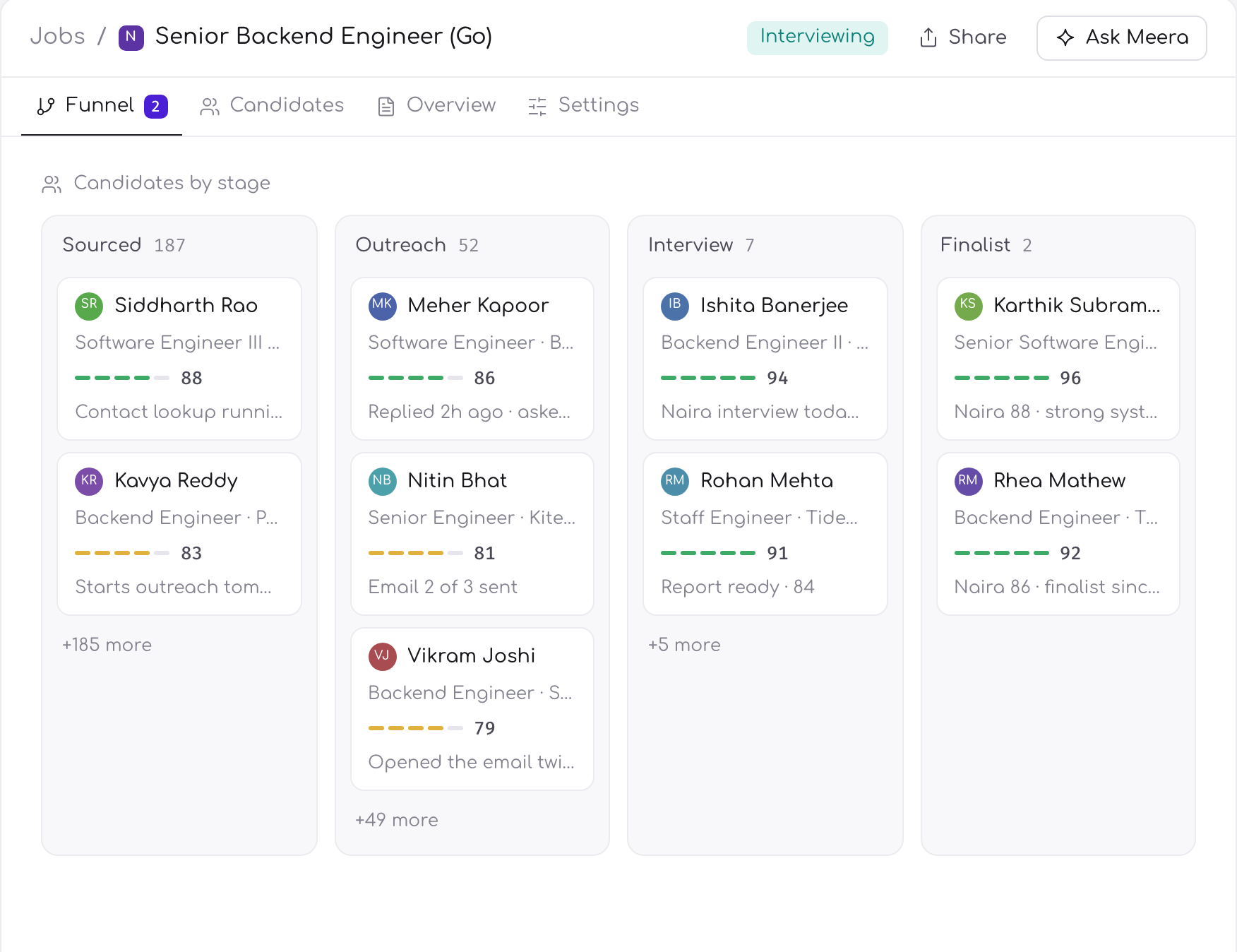
EmployLabs now does that step itself for clients who run their hiring on a Zwayam partner portal. An admin connects the client’s portal once and maps each role to the matching job on the portal. From then on, moving a candidate to the final stage is the instruction to send them.
Moving to final is the trigger
When an application moves to the final stage with a status that is not a no, a submission is queued inside the same database transaction as the move. Either both happen or neither does, so there is no finalist the portal will never hear about and no submission for a move that did not stick. It does not matter whether the move came from a recruiter moving the card or from the outcome of a conversation with the candidate: both paths queue it the same way.
There is one submission per application, ever. If the candidate leaves the final stage before anything was sent, the queued submission is cancelled, and coming back to final revives it rather than creating a second one.
The decision and the submission are one write. A finalist cannot be agreed in EmployLabs and forgotten on the way to the client.
What actually gets sent
A background sweep picks up queued submissions one at a time, strictly in sequence, because the portal on the other end is the client’s production system and does not need to be hammered. For each one it:
Reads the portal’s own application form for that job, so the fields being filled are the ones the client asks for today, not a list someone wrote down months ago.
Renders a CV as a PDF from the profile EmployLabs holds: header, summary, skills, experience, projects, education and certifications, laid out for a recruiter and never truncated.
Fills the formfrom the candidate’s facts and the answers they gave to screening, including the portal’s own questions where they map.
Refuses a partial submission.If a mandatory field has no value, or a value the portal’s rule would reject, the candidate is held for a person instead of being sent half-filled.
Dry run first, live when you choose
Every connector starts in dry run. In that mode the sweep builds the exact payload it would have sent, CV included, and stores it, and sends nothing. An admin can open any dry-run row and read the form field by field before the connector is switched to live. It is the same principle as everything else that can act on your behalf: you see the action before it is allowed to happen.
In live mode the attempt is recorded before the submit call goes out. If the reply is lost to a timeout, the portal may already hold the candidate, so the row waits for a person to check the portal and press Retry rather than sending the same profile twice. An error before that point, when nothing has been sent, is retried on its own.
When the portal wants something you do not have
The commonest reason a finalist cannot be sent is a missing fact: a notice period, or an answer to a question only this client asks. Each blocked row names what is missing, and says whether it lives on the candidate card or has to be completed in the client’s portal.
Blocked finalists also raise a card in the recruiter’s queue. Fill the fact on the candidate and the sweep rebuilds the submission by itself, and the card shrinks as each candidate clears it.
Sending without moving the stage
Sometimes a client wants a profile before the candidate is formally a finalist. From the candidate panel a recruiter can submit to the portal directly, without touching the candidate’s stage. The same rules hold: nothing is sent for a candidate marked as a no, for a closed role, or while the role is paused.
What is connected today
Zwayam is the one portal connected. Submissions go to Zwayam partner portals, configured per client.
Other applicant systems are not built. There is no connector for Greenhouse, Lever or Workday, and no date for one. For those clients the finalist list still ends with a person sending it.
Do I have to re-enter finalists into my client's applicant system?
Not when the client runs a Zwayam partner portal. Once an admin connects the portal and maps the role, moving a candidate to the final stage queues the submission, and EmployLabs sends the profile with a generated CV and the portal's own form fields filled from the candidate's facts.
Which applicant tracking systems does EmployLabs submit to?
Zwayam partner portals are the one connection built today. Greenhouse, Lever and Workday have no connector and no date for one, so for clients on those systems the finalist list is still sent by a person. Each Zwayam connection is configured per client and per role.
What happens if the portal asks for a field the candidate never gave?
EmployLabs never sends a partial submission. The blocked row names the missing field and whether it belongs on the candidate card or in the client's portal, and a card appears in the recruiter's queue. Once the fact is filled in, the sweep rebuilds the submission by itself.